

Running a business in Texas without tracking HR metrics is like driving from Dallas to Austin without a map. You might get there eventually, but you'll waste time, fuel, and money along the way. Many small and mid-sized business owners assume HR metrics are tools reserved for Fortune 500 companies with dedicated analytics teams. That assumption is costing them. The reality is that even a handful of well-chosen metrics can reveal where your workforce is thriving, where it's struggling, and exactly where your HR dollars are going. This article breaks down what HR metrics actually are, which ones matter most, and how to put them to work for your Texas business.
Table of Contents
- Defining HR metrics: What do they really mean?
- Key HR metrics used in businesses today
- How to interpret and use HR metrics for better decisions
- Benchmarking HR metrics: How to compare effectively
- Applying HR metrics in small and mid-sized Texas businesses
- Why most small businesses misunderstand HR metrics—and how to get it right
- Take the next step: Get expert HR support for your Texas business
- Frequently asked questions
Key Takeaways
| Point | Details |
|---|---|
| Clear HR metric definition | Understanding what an HR metric is helps demystify and clarify your workforce data. |
| Core metrics to track | Focus on a shortlist of actionable metrics like HR-to-employee ratio and turnover rate. |
| Benchmarking essentials | Always match metric definitions when comparing to benchmarks to avoid misleading conclusions. |
| Practical application | Apply HR metrics regularly to inform smarter, more agile business decisions. |
| Small business advantage | Smaller companies can benefit most from consistent HR metric tracking for growth. |
Defining HR metrics: What do they really mean?
HR metrics are quantifiable measures used to track, evaluate, and improve HR processes, workforce trends, and labor costs. Think of them as the vital signs of your organization. Just as a doctor uses blood pressure and heart rate to assess health, HR metrics give you objective data to assess workforce health.
Here's what makes HR metrics genuinely useful: they replace gut feelings with facts. Instead of saying "turnover seems high lately," you can say "our voluntary turnover rate is 28% this quarter, which is 10 points above our industry benchmark." That's a conversation that leads to action.
Some of the most common typical HR metrics include:
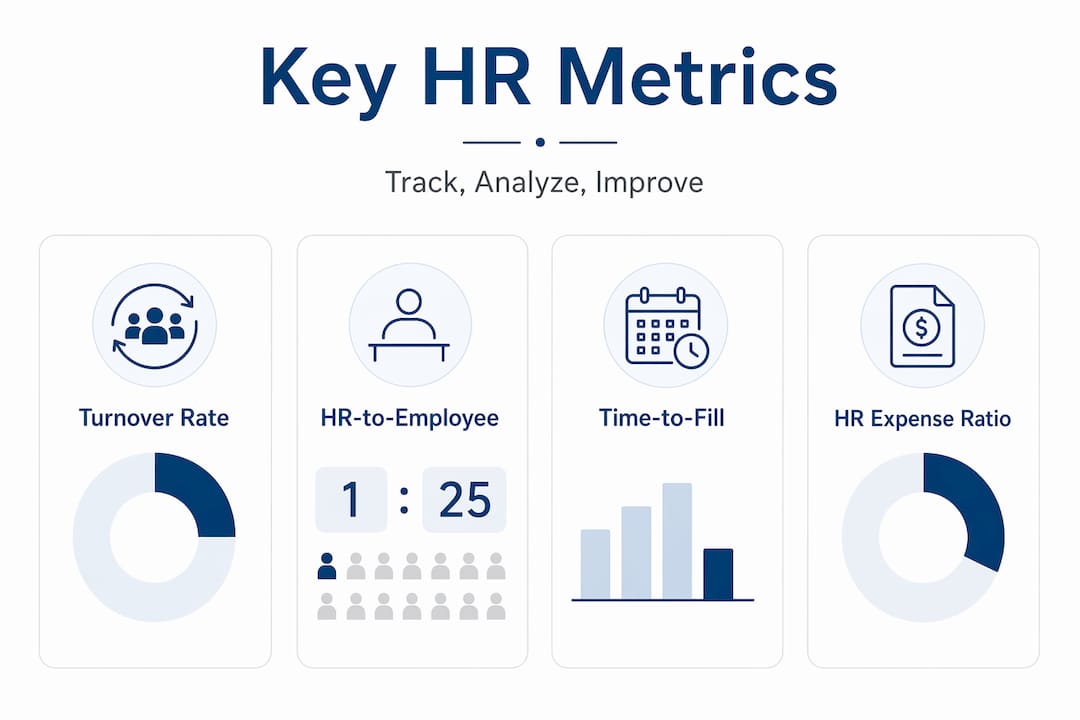
- Turnover rate: The percentage of employees who leave within a given period
- HR-to-employee ratio: How many HR staff support each group of 100 employees
- HR-expense-to-operating-expense ratio: What share of total operating costs goes to HR functions
- Revenue per full-time equivalent (FTE): How much revenue each employee generates on average
- Time to fill: How long it takes to fill an open position from posting to acceptance
"HR metrics often include calculation methods and ratio concepts such as the HR-expense-to-operating-expense ratio and the HR-to-employee ratio, giving organizations a structured way to evaluate and benchmark their HR functions."
The key distinction to understand is that metrics are not just numbers. They are signals. A rising turnover rate signals something about your culture, compensation, or management. A shrinking revenue-per-FTE figure signals productivity concerns. Learning to read these signals is the first step toward smarter workforce decisions.

Key HR metrics used in businesses today
Now that you understand what HR metrics are, let's look at the ones you should actually track. Not every metric applies to every business, but the following core measures give most Texas SMBs a strong starting point.
The most important HR metrics explained
| Metric | How it's calculated | Why it matters |
|---|---|---|
| HR-to-employee ratio | (HR staff / total employees) x 100 | Shows if HR is appropriately staffed |
| HR-expense-to-operating-expense ratio | HR costs / total operating expenses | Reveals HR's share of business costs |
| Revenue per FTE | Total revenue / number of FTEs | Measures workforce productivity |
| Voluntary turnover rate | (Voluntary departures / avg. headcount) x 100 | Tracks employee retention health |
| Time to fill | Days from job posting to accepted offer | Gauges recruiting efficiency |
The CHRO Benchmarking Data Brief from SHRM defines these ratios precisely, including the HR-to-employee ratio as the number of HR staff per 100 employees supported by HR, as well as the HR-expense-to-FTE ratio and revenue per FTE. Having standardized definitions matters because it allows you to compare your numbers to industry data with confidence.
Here's a practical breakdown of how to start tracking these metrics:
- Identify your data sources. Payroll software, your applicant tracking system, and your general ledger are the three most common sources for HR metric data.
- Standardize your definitions. Decide exactly who counts as "HR staff" and what qualifies as an "HR expense" before you calculate anything.
- Choose a reporting cadence. Monthly data collection with quarterly reviews works well for most SMBs.
- Build a simple dashboard. A spreadsheet with five to seven core metrics beats a complex system you never use.
- Assign ownership. Someone needs to be responsible for pulling and reviewing the numbers each period.
Pro Tip: If you're working with an HR consulting for small businesses partner, ask them to help you set up your metric definitions before you start collecting data. Getting definitions right from day one saves enormous headaches later.
Technology makes this much easier than it used to be. Modern HRIS (Human Resource Information System) platforms can automate data collection for many of these metrics. If you're not ready for a full HRIS investment, a fractional HR consultant guide can walk you through lower-cost options that still deliver solid reporting capabilities.
How to interpret and use HR metrics for better decisions
Tracking metrics is only half the work. The other half is knowing what to do with the numbers once you have them.
Here's the most important thing to understand: context is everything. A turnover rate of 40% might be alarming in a professional services firm but perfectly normal in a high-volume retail environment. A small HR team supporting 200 employees might look understaffed on paper but be highly efficient if the company uses strong self-service technology.
Common mistakes to avoid when interpreting HR metrics:
- Comparing apples to oranges. If your definition of "turnover" includes both voluntary and involuntary separations but the benchmark only counts voluntary departures, your comparison is meaningless.
- Ignoring trends in favor of snapshots. A single quarter's data tells you very little. Look for movement over time.
- Treating benchmarks as targets. Industry averages are reference points, not goals. Your target should reflect your specific business strategy.
- Overlooking root causes. If time-to-fill is rising, the problem could be your job descriptions, your compensation, your sourcing channels, or your interview process. The metric tells you what, not why.
Pro Tip: Pair every HR metric with at least one qualitative data point. For example, combine your turnover rate with exit interview themes. The number tells you the scale of the problem; the exit interviews tell you the cause.
A useful framework is to connect each metric to a specific business question. For instance:
- Is our HR team the right size? Track your HR-to-employee ratio.
- Are we spending too much on HR relative to our business? Track HR-expense-to-operating-expense ratio.
- Are we retaining our best people? Track voluntary turnover by tenure and performance tier.
- Is our recruiting keeping up with growth? Track time-to-fill and cost-per-hire.
Texas businesses also need to factor in state-specific labor dynamics. Texas has no state income tax, which affects compensation benchmarking. The Dallas-Fort Worth metro is one of the fastest-growing labor markets in the country, which directly impacts time-to-fill and voluntary turnover rates. Staying current on your HR compliance checklist Texas requirements also ensures your workforce data is accurate and legally defensible.
Benchmarking HR metrics: How to compare effectively
Benchmarking is the process of comparing your HR metrics to external data, whether from your industry, your region, or companies of a similar size. Done right, it's one of the most powerful tools available to HR leaders. Done wrong, it leads to false conclusions and misguided decisions.
"Benchmark definitions must be matched carefully between organizations due to differences in calculation, including how numerators and denominators are defined and which employees or costs are included or excluded."
Here's a simple comparison of effective versus ineffective benchmarking practices:
| Effective benchmarking | Ineffective benchmarking |
|---|---|
| Match metric definitions before comparing | Use industry averages without checking definitions |
| Compare to companies of similar size and sector | Compare to all companies regardless of industry |
| Use multiple data sources to validate findings | Rely on a single benchmark report |
| Review benchmarks annually as data updates | Set a benchmark once and never revisit it |
| Combine benchmarks with internal trend data | Replace internal analysis with external comparisons |
Where can you find reliable benchmarking data? SHRM publishes benchmarking briefs specifically designed for HR professionals. The Bureau of Labor Statistics (BLS) publishes turnover and compensation data by industry and region. Industry associations often publish their own workforce surveys. For Texas-specific data, the Texas Workforce Commission is a valuable resource.
Key steps for effective benchmarking:
- Verify the source. Use data from recognized organizations with clear methodology.
- Check the sample. Make sure the benchmark includes companies similar to yours in size, industry, and geography.
- Confirm the time period. Workforce data shifts quickly. Use the most recent data available.
- Adjust for your context. If a benchmark is national but your market is Dallas-Fort Worth, factor in local labor conditions.
Working with a Fractional HR Dallas TX professional gives you access to someone who already knows which benchmarks are reliable and how to apply them to your specific situation, saving you significant research time.
Applying HR metrics in small and mid-sized Texas businesses
Here's where the rubber meets the road. Many Texas business owners know they should track HR metrics but aren't sure where to start. The good news is that you don't need a large HR department or expensive software to get meaningful results.
Follow these steps to build a practical HR metrics program:
- Define your business goals first. Are you trying to reduce turnover? Speed up hiring? Control HR costs? Your goals determine which metrics matter most.
- Choose three to five core metrics. Start small. Tracking five metrics consistently beats tracking twenty metrics inconsistently.
- Standardize your data collection. Create clear definitions for every metric before you collect a single data point. Write them down.
- Establish a baseline. Calculate your current numbers before setting targets. You need to know where you are before you can plan where to go.
- Review regularly and act on what you find. Schedule a quarterly review where you look at trends, compare to benchmarks, and identify one or two actions to take.
Texas-specific considerations add another layer to this process. If your business operates in a sector with high seasonal demand, such as construction, hospitality, or agriculture, your turnover and staffing ratios will fluctuate significantly throughout the year. Build seasonality into your analysis rather than treating every spike as a crisis.
Texas also has specific at-will employment rules, wage and hour requirements, and workers' compensation structures that affect how you calculate and interpret certain HR metrics. Making sure your data aligns with SHRM's benchmarking standards for HR spending and staffing ratios helps you stay both informed and compliant.
Pro Tip: If you're a business owner wearing multiple hats, consider starting with just two metrics: voluntary turnover rate and time-to-fill. These two numbers alone will tell you a great deal about the health of your workforce and your ability to grow it.
Fractional HR Consulting Dallas TX services exist precisely for businesses at this stage. You get expert guidance on setting up and interpreting metrics without the cost of a full-time HR director.
Why most small businesses misunderstand HR metrics—and how to get it right
Here's an uncomfortable truth we've seen play out repeatedly with Texas businesses: the problem isn't that small companies lack data. It's that they're waiting until they have a "real HR department" before they start paying attention to it.
That thinking is backwards. The businesses that benefit most from HR metrics are often the smallest ones, because every hiring mistake, every preventable departure, and every compliance misstep hits harder when you have 30 employees than when you have 3,000. A single bad hire at a 25-person company can cost 30% to 50% of that person's annual salary when you factor in recruiting, onboarding, lost productivity, and the impact on team morale.
We've worked with Texas businesses that were tracking nothing, then started with just turnover rate and time-to-fill, and within two quarters had enough data to make a compelling case for adjusting their compensation structure. The result was a measurable drop in voluntary departures and a faster hiring cycle. No complex analytics platform required.
The other misconception we see constantly is that more metrics equal more insight. They don't. Tracking 20 metrics with inconsistent definitions and no clear action plan produces noise, not clarity. The businesses that get the most value from HR data are the ones that track fewer things with greater discipline and consistency.
Our advice, grounded in working with HR consulting for small businesses clients across the Dallas-Fort Worth area: start simple, stay consistent, and connect every metric to a decision you actually need to make. That's it. That's the whole framework.
Take the next step: Get expert HR support for your Texas business
Knowing what HR metrics are is one thing. Building a system that actually tracks, interprets, and acts on them is another challenge entirely, especially when you're running a business at the same time.
At QuickHR Solutions, we help Texas small and mid-sized businesses set up practical HR metric programs that fit your size, your industry, and your goals. Whether you need help choosing the right metrics, standardizing your data, or interpreting what your numbers mean for your next hiring or retention decision, our SHRM-certified consultants are ready to help. Our Fractional HR Dallas TX services give you experienced HR leadership without the full-time price tag. Book a free consultation today and start turning your workforce data into decisions that drive real business results.
Frequently asked questions
How do I calculate the HR-to-employee ratio for my company?
Divide the number of HR staff by the total number of employees, then multiply by 100. According to SHRM's benchmarking data, this gives you the number of HR staff per 100 employees supported by HR.
Why are benchmark definitions important when comparing HR metrics?
Because different organizations calculate the same metric in different ways, using mismatched definitions leads to inaccurate comparisons and potentially wrong conclusions about your HR performance.
Which HR metrics are most crucial for Texas small businesses?
Voluntary turnover rate, HR-to-employee ratio, and the HR-expense-to-operating-expense ratio are the three most impactful starting points for most Texas SMBs.
How often should HR metrics be updated?
Most small and mid-sized businesses benefit from collecting data monthly and conducting a formal review quarterly, which gives you enough data to spot trends without overwhelming your team with constant reporting cycles.